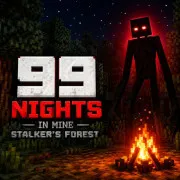
What do you do in 99 Nights in Mine?
Gather what you need and make it through a dangerous forest night while a creature roams nearby.
Load the game in this window when you are ready.
Game guide
Gather what you need and make it through a dangerous forest night while a creature roams nearby. The playable version is supplied by an external host. Its own title screen and instructions explain how to begin and which options are available in that build.
Choose Play Now to load 99 Nights in Mine in the game window. Follow the instructions shown by the hosted version before starting; controls can vary by game and device, so this page does not assume a particular keyboard, mouse, or touch layout. If the game does not appear, use the Open game source link above to visit its host.
Gather what you need and make it through a dangerous forest night while a creature roams nearby.
Open the game window and follow its title screen or control prompts. Input methods can vary by game and device, so use the instructions shown in the game itself.
The playable version is loaded from its game host inside the page. If it does not appear, your browser or network may be blocking third-party game content.
Game library
Late Night Mop
Horror game

Wake Up
Horror game

Santy Is Home
Horror game
Slide in the Woods
Horror game

Creepy Dates
Horror game
Backrooms Exit
Horror game
Murder
Horror game
Buckshot Roulette
Horror game

Tung Sahur Horror
Horror game

Horror Nun
Horror game
Red Face Horror
Horror game
Idols of Ash
Horror game
Cobb Can Move
Horror game

The Baby in Yellow
Horror game
Bad Parenting
Horror game
FNAF 3
Horror game

FNAF 4
Horror game

Granny 3
Horror game